Integration · Playback · rekordbox
Your rekordbox prep, read by CueSync.
The hot cues, memory cues, loops, beat grids and phrases you set in rekordbox come across with the track, from a collection XML or a rekordbox USB stick, and the cues you place in CueSync can go back to rekordbox as a file.
rekordbox spec sheet
| Speaks | rekordbox XML · rekordbox USB library |
|---|---|
| Built for | rekordbox 6 · rekordbox 7 · rekordbox collection XML · rekordbox-exported USB sticksReads the collection XML, the USB library and the analysis files rekordbox writes. The export is a file you load into rekordbox yourself. |
| Editions | In DJProduction |
| Manual | /docs/connect/rekordbox-xml |
rekordbox is in DJ and Production. A capability marked with an edition needs that edition.
What CueSync sends to rekordbox
| Import a rekordbox Collection | Export your collection as XML from rekordbox and import it in CueSync. Every track whose audio is on this Mac comes in with its beat grid, hot cues, memory cues, loops and key, so Track Prep opens on rekordbox's grid. |
|---|---|
| rekordbox USB Library | Plug in a rekordbox-exported USB stick and its library appears in CueSync, organised by playlist and folder as it is in rekordbox. |
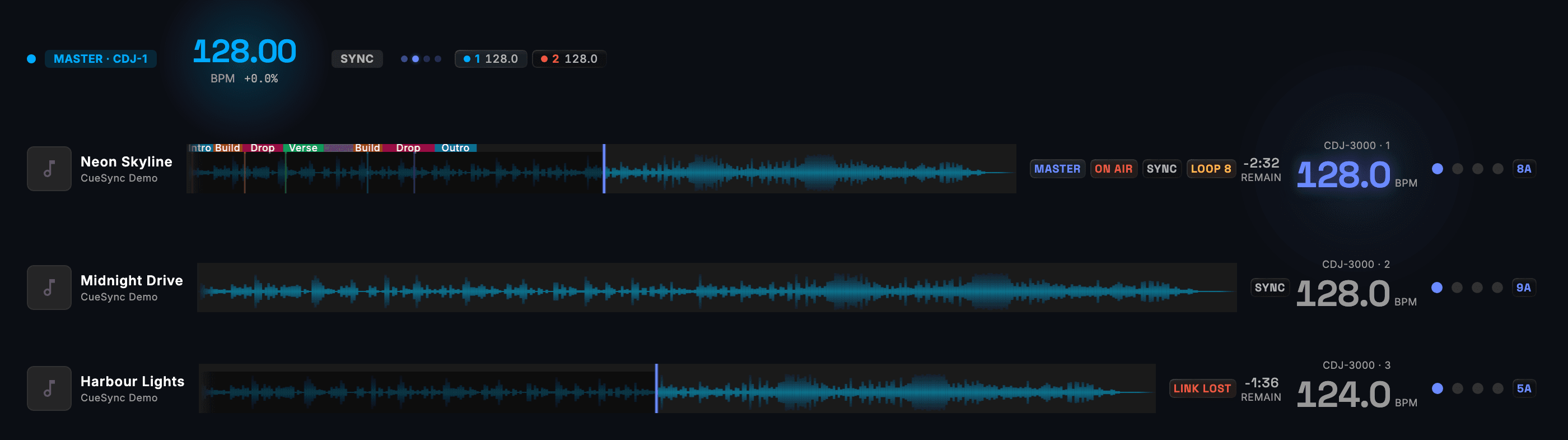
| Phrase Analysis | CueSync reads rekordbox's phrase map (Intro, Verse, Up, Down, Chorus, Bridge, Outro) from the track's analysis files, for phrase cues and for AutoPilot. |
| Hot Cues as Triggers | With CDJs on PRO DJ LINK, pressing a hot cue on a player can fire a cue: the Hot Cue Hit trigger. |
| Prep Travels Back | Export to rekordbox XML writes each analysed local track's beat grid, BPM, key, hot cues, memory cues and loops as a collection file that rekordbox 6 and 7 import. You load the file into rekordbox yourself. |
| Cue Finder (free tool) | Open a rekordbox XML in the free Cue Finder to list the tracks missing hot cues, a musical key or a beat grid before you build a show on them. |
Set it up
rekordbox with CueSync, in 6 steps.
- 1In rekordbox, analyse your tracks and set the hot cues, memory cues and loops you want, then choose File → Export Collection in xml format.
- 2In CueSync, choose File → Sync, Import & Export → Import rekordbox XML… and pick the file. Tracks whose audio is on this Mac are imported; the rest are skipped and counted in the confirmation.
- 3For phrases, keep rekordbox's analysis files beside the audio, or plug in a rekordbox-exported USB stick: its library appears under USB in the Library, by playlist and folder.
- 4Open a track in Track Prep. It opens on rekordbox's beat grid, with your hot cues, memory cues and loops in place, and you place your cues against them.
- 5For a set on CDJs, connect them over PRO DJ LINK and close rekordbox on the show Mac, because it uses the same network ports. Load your rekordbox set once before the show so its tracks are read ahead of time.
- 6To send your prep back, choose Export to rekordbox XML… and load the file into rekordbox.
Integration details
Specifics that hold up in production
What CueSync's rekordbox integration does and how it behaves — the things you can check before the show.
- Markers sit at rekordbox's time
- Hot cues, memory cues and loops read from a rekordbox USB stick, a CDJ's media or an analysis file beside the audio are placed at the time rekordbox shows, on the waveform and in hot-cue pad matching.
- Re-analysis keeps imported cues
- A forced re-analysis in Track Prep detects the track again from scratch, and the hot cues, memory cues and loops imported from rekordbox stay.
- Detected markers export too
- The export writes the hot cues, loops and memory cues CueSync's analysis proposed as well as the ones you placed, as ordinary rekordbox cues. Delete the ones you do not want in Track Prep before you export. Phrase maps are not exported, because the rekordbox XML format has no phrases.
- Built for live-show reliability
- Every output connection recovers automatically, connection state is visible to the operator, and every failure CueSync can detect is reported during a show. A held cue is released automatically if the window loses focus mid-flash.
rekordbox questions
What does CueSync read from rekordbox?
From a collection XML: each track's beat grid, hot cues, memory cues, loops and key. From rekordbox's analysis files, on a rekordbox USB stick or beside the audio: the phrase map and the measured beat grid as well.
Does a rekordbox XML carry phrases?
No. The XML format has no phrase map. CueSync reads phrases from rekordbox's analysis files when they sit beside the audio or on the USB stick. A track CueSync has already analysed itself keeps its own phrases and grid, and rekordbox's hot cues, memory cues and loops are merged into it.
Do I need Pioneer hardware to use my rekordbox library?
Not for the library. Importing and exporting a rekordbox XML works with no Pioneer hardware in the room. A hot cue press as a trigger comes from a CDJ over PRO DJ LINK.
Does CueSync change my rekordbox library?
No. A track read off a rekordbox USB stick keeps rekordbox's beat grid, BPM and key, and you correct those in rekordbox. The export writes a separate collection file and leaves rekordbox's own database alone.
Can rekordbox run on the same Mac during the show?
Not while CueSync is connected to CDJs. rekordbox uses the same PRO DJ LINK network ports, so close it on the show Mac before the set.
Can CueSync follow rekordbox when I play from the laptop?
Through an OS2L bridge, rekordbox can send CueSync a beat, which drives beat cues and pad quantise. For phrase cues and AutoPilot, play the tracks from CDJs or in CueSync's Local Audio.
Which CueSync plans include the rekordbox import and export?
DJ and Production: both directions are part of Track Prep. PRO DJ LINK, which brings rekordbox phrases and hot cues in from the decks, is in DJ, Production and the Decks plan.
Different question? Ask us directly.
Last reviewed .
Guides
Guides for this rig
Step-by-step guides for a show that runs with rekordbox.
Run your next show on cue.
Download CueSync free and run the built-in demo show — press Space and watch each cue fire on screen with nothing sent to real equipment, no hardware required. Subscribe when you're ready to drive a real rig.
rekordbox®, CDJ® and PRO DJ LINK™ are trademarks of AlphaTheta Corporation. CueSync is an independent product and is not affiliated with, endorsed by, or sponsored by AlphaTheta.