CueSync Studio · in your browser, nothing to install
Design the show together.
Run it from one desk.
Lighting, video, laser, sound, choreography and stage management open the same waveform in a browser, place their cues against it, discuss them and sign them off. When the design settles, the show exports into the CueSync desktop app, where one operator binds it to the rig and runs it.
The editor
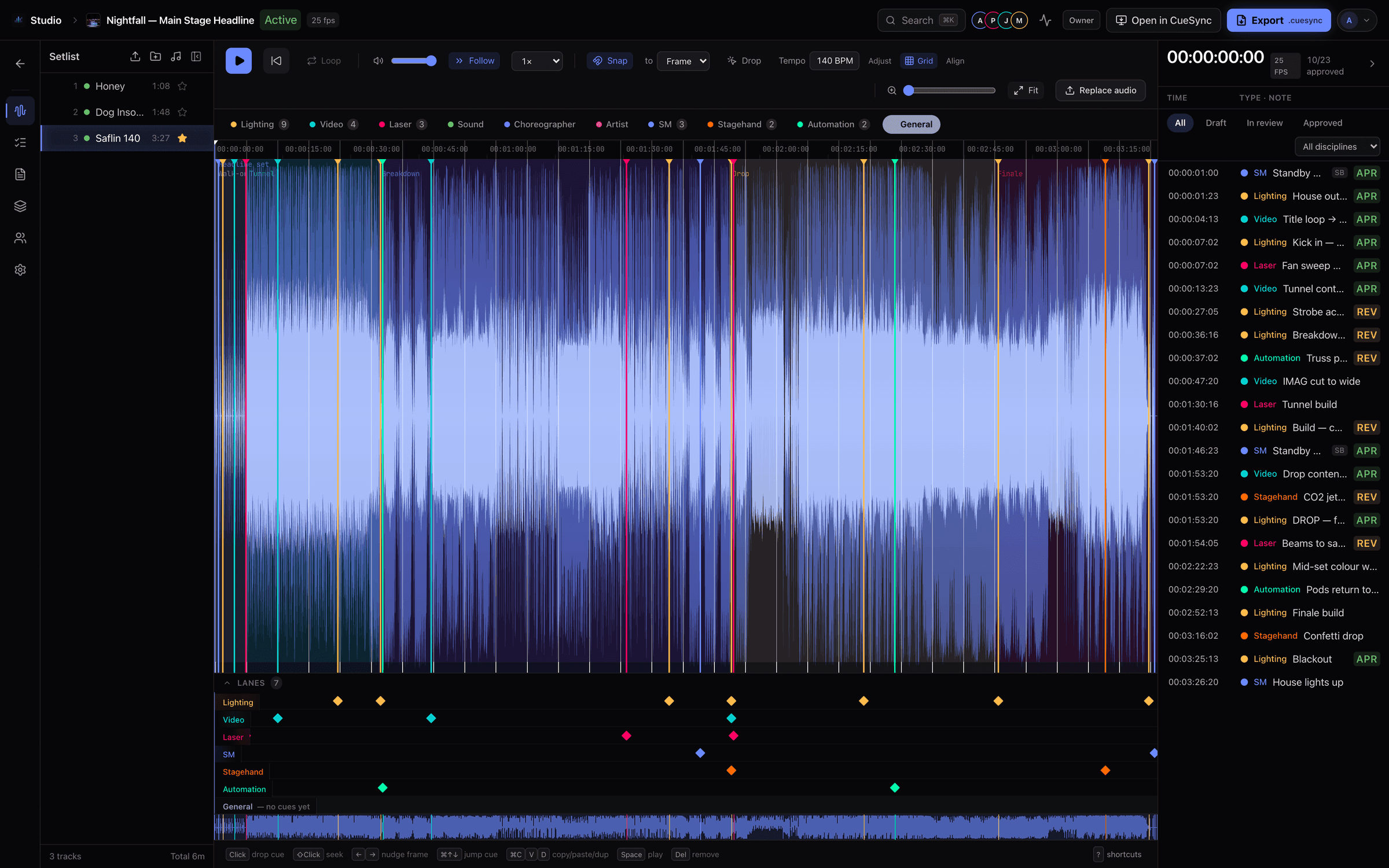
Every department marks the same waveform
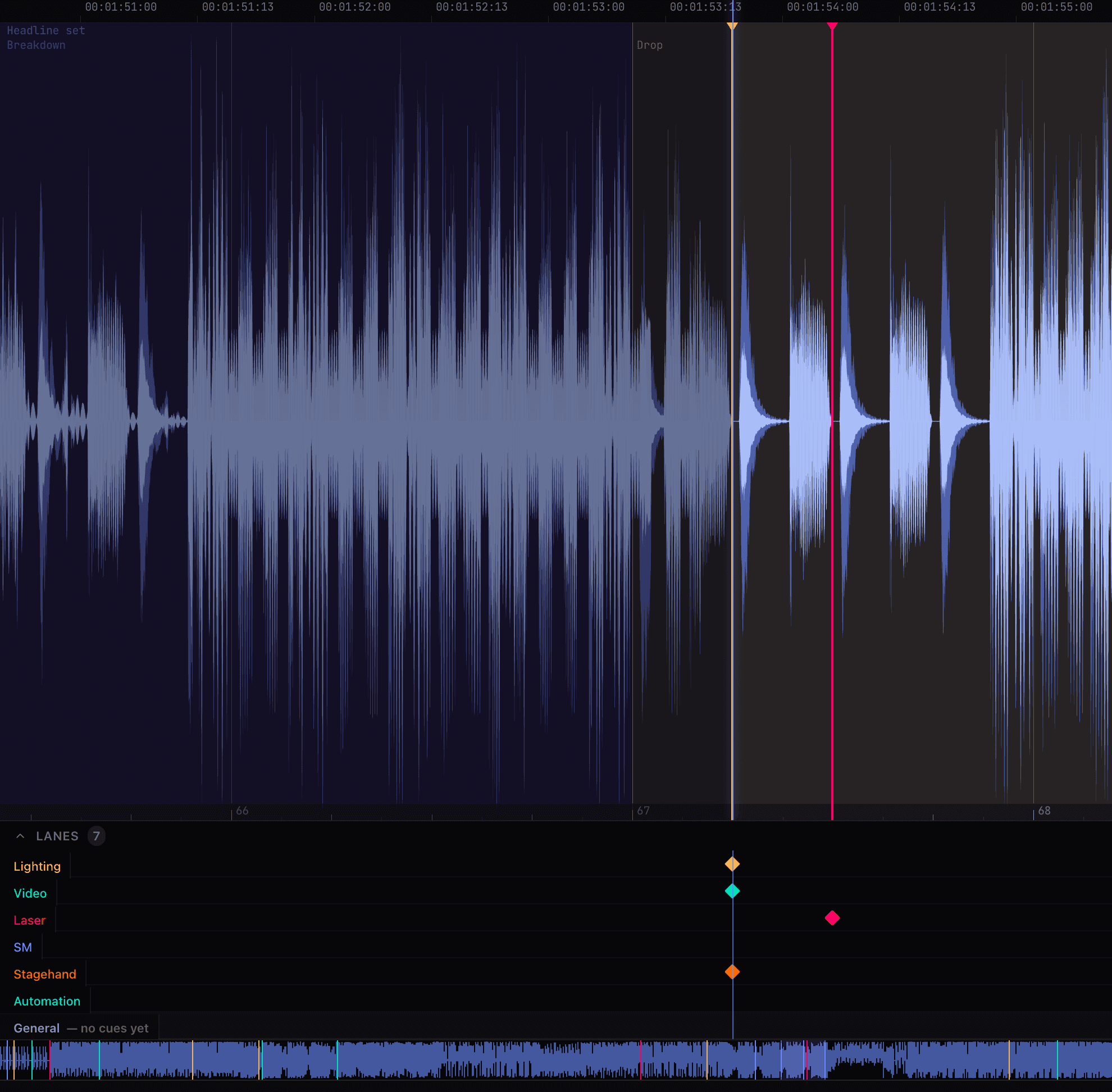
Each department gets its own lane under a native waveform with a beat grid, bar numbers and frame-accurate SMPTE. Cues snap to the beat or nudge a frame at a time, so the lighting hit, the video change and the CO2 burst land on the same downbeat because they were placed against the same music.
Every cue is anchored to its position in the track in milliseconds. Timecode and bar.beat are two readings of that one number, which is why a cue placed in a browser lands on the same frame in the desktop app.
- Lane per department
- Beat grid and bar.beat
- Acts and scenes over the waveform
Sign-off
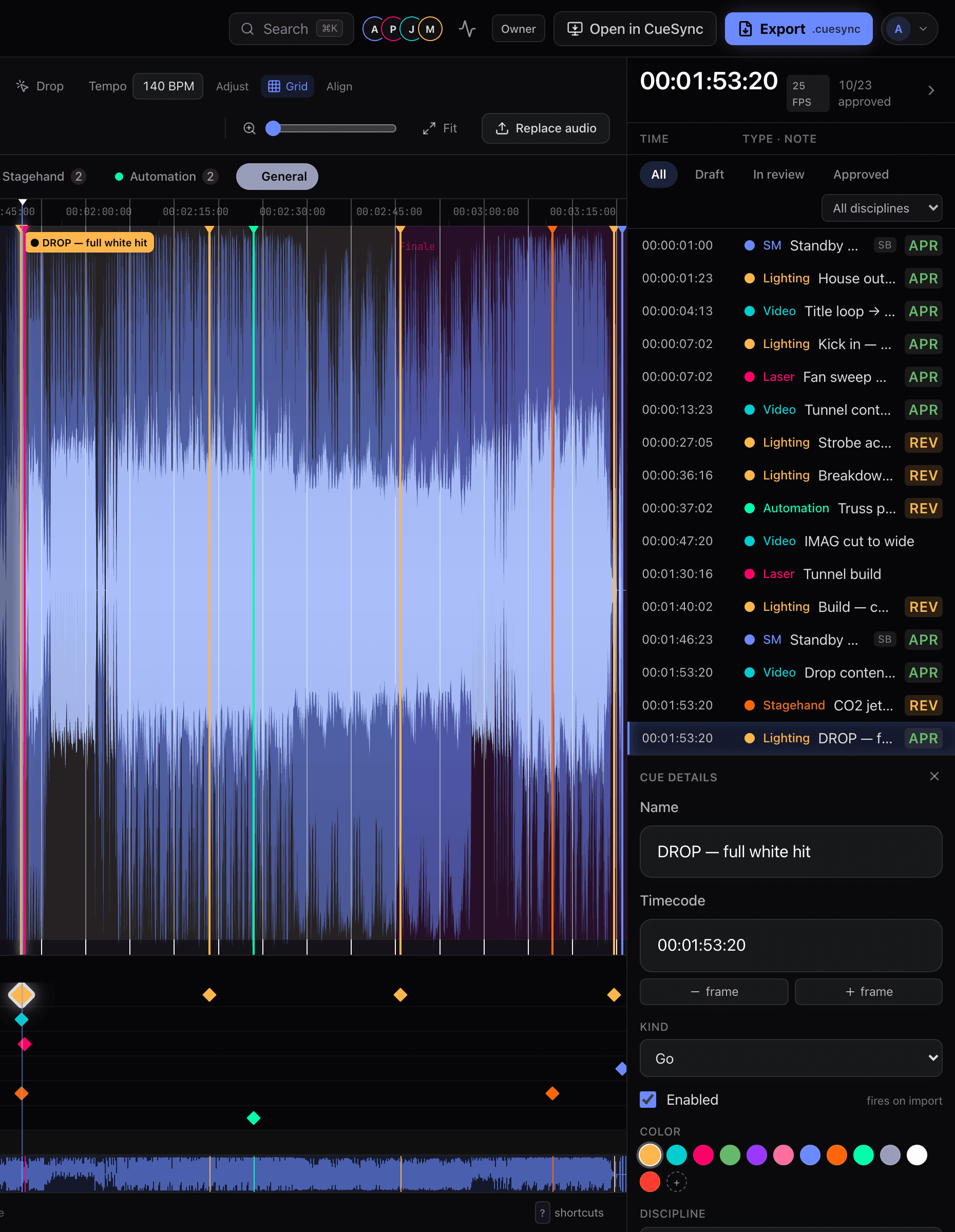
Draft, in review, approved — on the cue itself
A cue carries its number, name, department, design intent and operator notes, and a sign-off state that moves from draft to in review to approved. The cue list shows the state at a glance, and the header keeps a running count of what is approved.
Questions stay attached to the moment they are about: threaded comments on a cue or on a bare timecode, with @mentions that notify the person named.
- Draft → in review → approved
- Threaded comments and @mentions
- Intent and notes per cue
The board
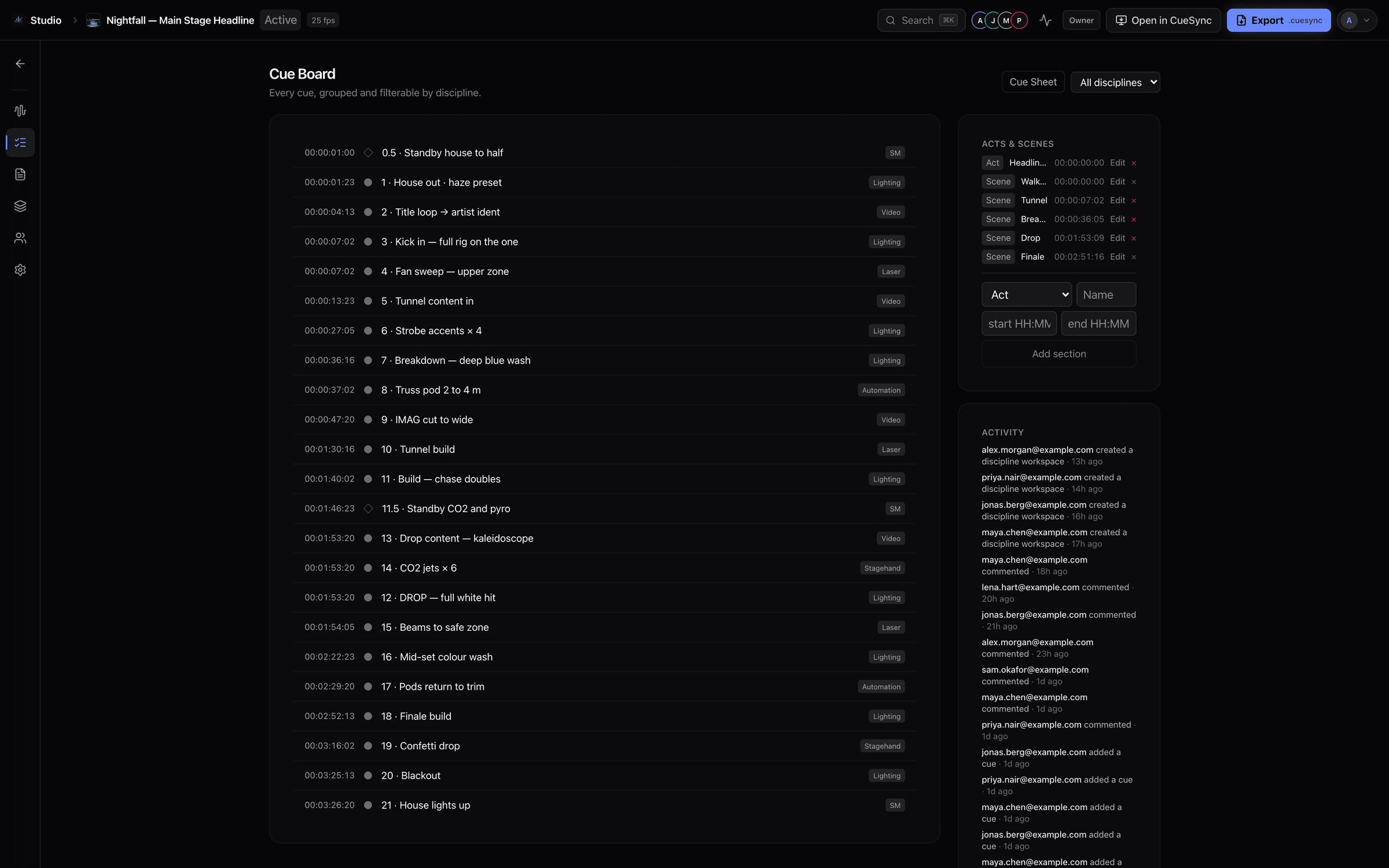
The whole show on one board, with a record of who changed what
The cue board lists every cue in running order with the department that owns it, beside the show's acts and scenes and an activity feed of additions, edits and comments. Collaborators who have the show open appear in the header as they work.
Version history takes snapshots of the whole show and restores one atomically, so a rehearsal-night experiment is never a one-way door.
- Acts, scenes and intervals
- Live presence
- Version history with restore
Reports
The paperwork is generated, never retyped
The documents a production already makes by hand come out of the same cues everyone signed off, so the calling script and the cue sheet cannot drift from the show.
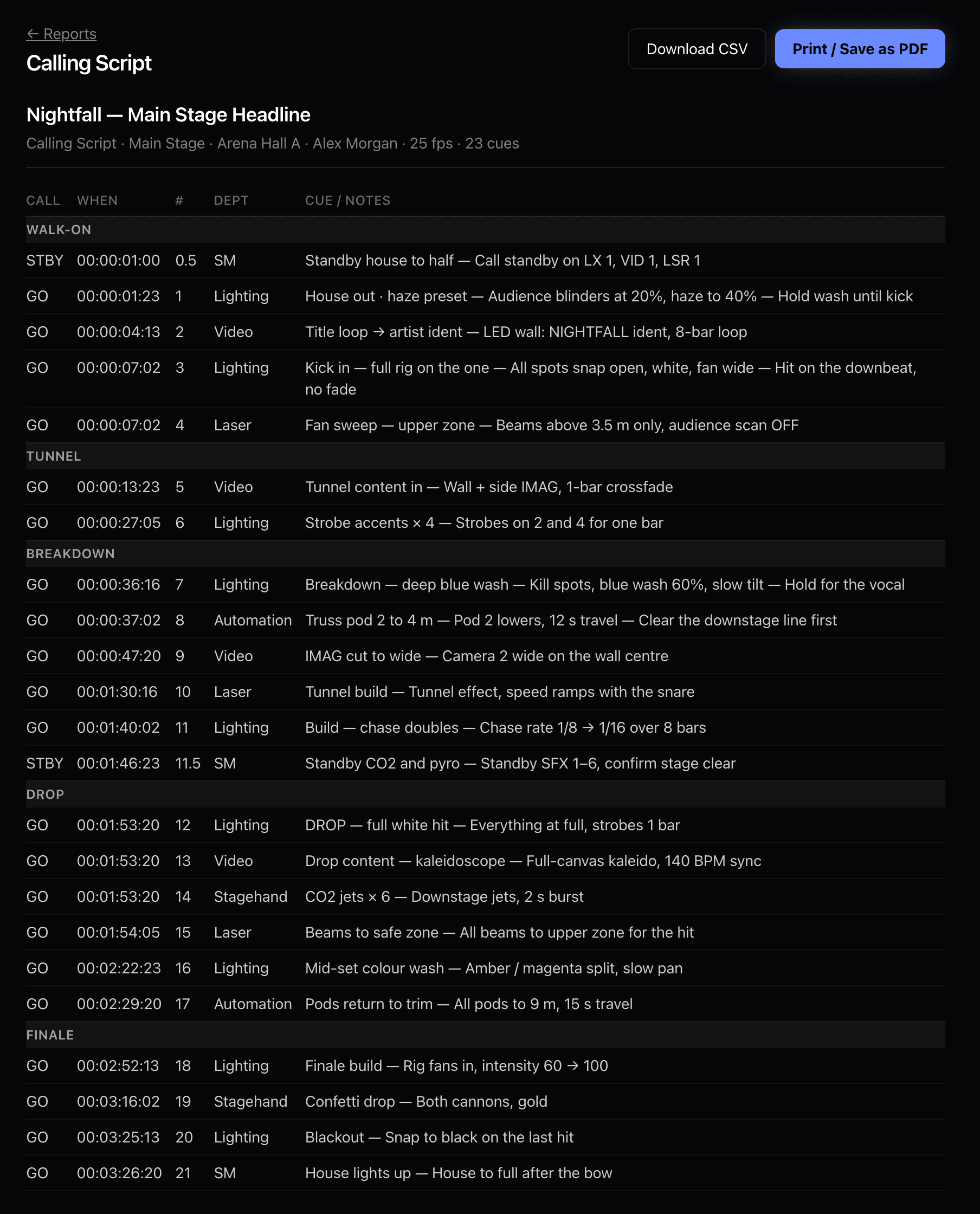
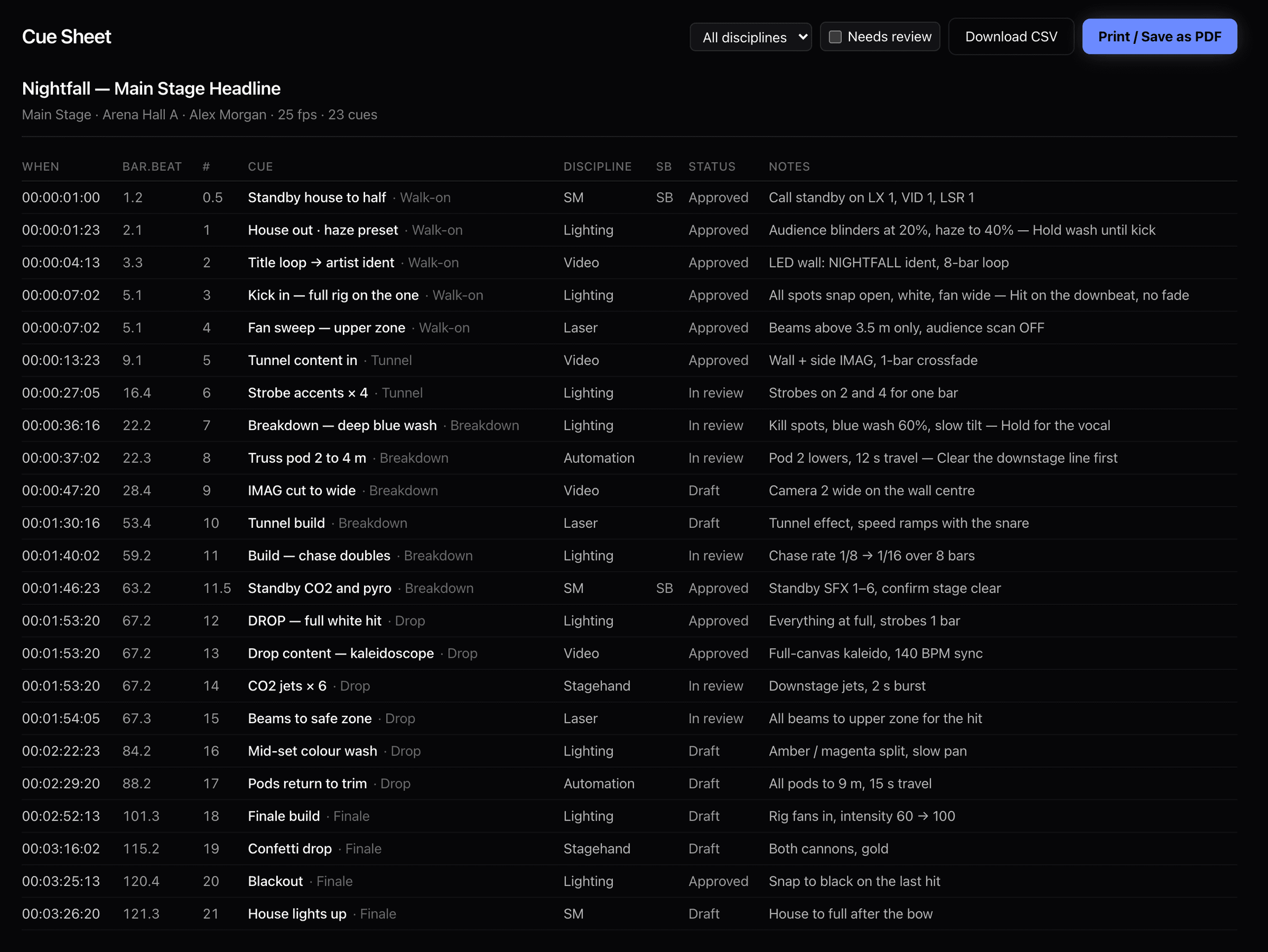
- Master cue sheet, filterable by department
- Calling script with STBY and GO calls, grouped by scene
- Running order, lighting synopsis, video and sound cue lists
- CSV download, print to PDF, and USITT ASCII for lighting consoles
The team
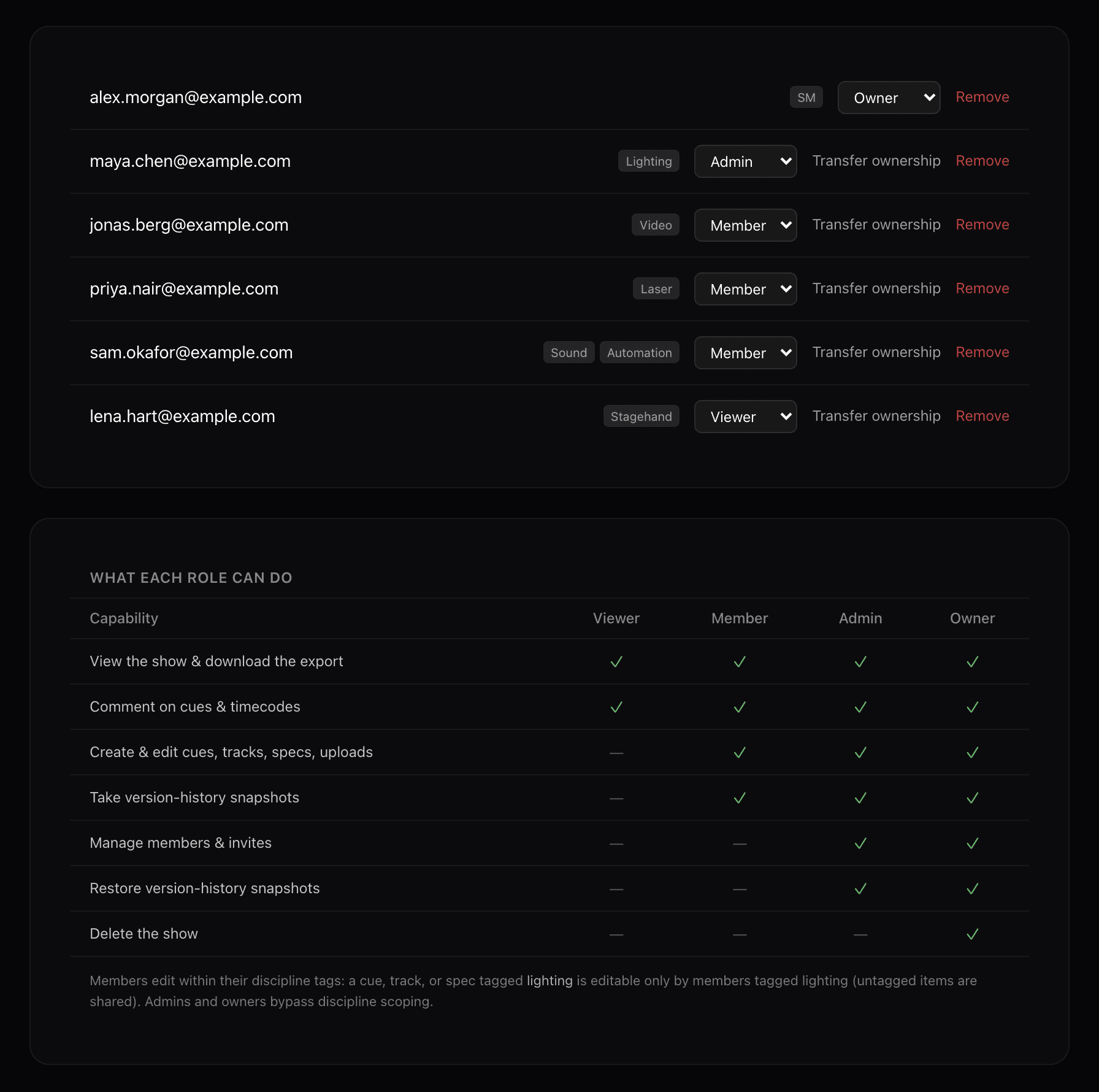
Roles per show, and edits scoped to your department
Membership is per show: the same person can be lighting on one production and stage manager on the next. Owners, admins, members and viewers each get a clear set of rights, and a member edits within their own department: a cue, track or spec tagged lighting is editable only by the people tagged lighting, while untagged items stay shared.
Each department also keeps a workspace for its plan, baseline and spec documents, so the rig notes live beside the cues they explain.
- Owner · admin · member · viewer
- Department-scoped editing
- Discipline workspaces
The handoff
Studio holds the intent. The desktop holds the execution.
Open a finished show straight into the CueSync desktop app, or export it as a .cuesync file. On the desktop an operator attaches the real outputs — which console, which protocol, which fixture — and runs it.
Studio never touches your live rig: it is a design workspace, and only the desktop app fires cues.
$29 a month, or $290 a year, excluding tax
A subscription of its own — you do not need the CueSync desktop app to use it. Includes 5 collaborator seats, then $9 per seat per month on the monthly plan or $90 per seat per year on the annual plan. 2 GB of storage per show and up to 250 MB per audio file.
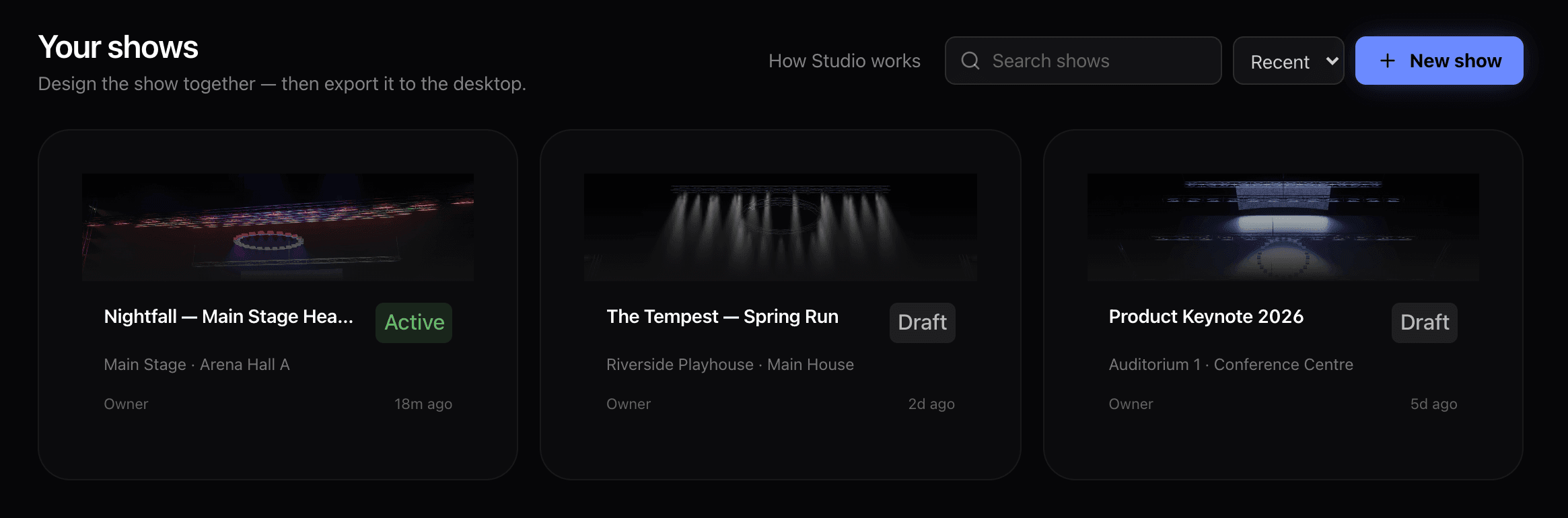
Every image on this page is a capture of the Studio web app running a demo show. The music is public-domain (CC0) audio, the show artwork is a CueSync stage render, and collaborator addresses are placeholders.