Integration · Show control & timecode · Ableton Link
One beat grid across Ableton Live, decks and lights.
CueSync joins any Ableton Link session on the local network: follow a live electronic performance's tempo and beat grid to fire lighting and video cues, or bridge Pioneer PRO DJ LINK tempo straight into Ableton Live.
Ableton Link spec sheet
| Speaks | Ableton Link · PRO DJ LINK → Link · MIDI Clock |
|---|---|
| Built for | Ableton Live · Any Ableton Link-enabled macOS, Windows or iOS app · Pioneer PRO DJ LINK decks (tempo bridge in DJ & Production) · Wired Ethernet show LAN (recommended)Included in every CueSync edition over your local network; wired Ethernet is recommended on show rigs. |
| Editions | In DJTheatreProduction |
| Manual | /help/protocols/ableton-link-and-midi-clock |
The output is in every edition. A capability marked with an edition needs that edition.
What CueSync sends to Ableton Link
| Follow Link Tempo & Beat Phase | Switch on Enable Ableton Link and Follow Link tempo and beat under Settings → MIDI & Sync → Ableton Link to drive beat cues and quantised Cue Pads from any Link peer. |
|---|---|
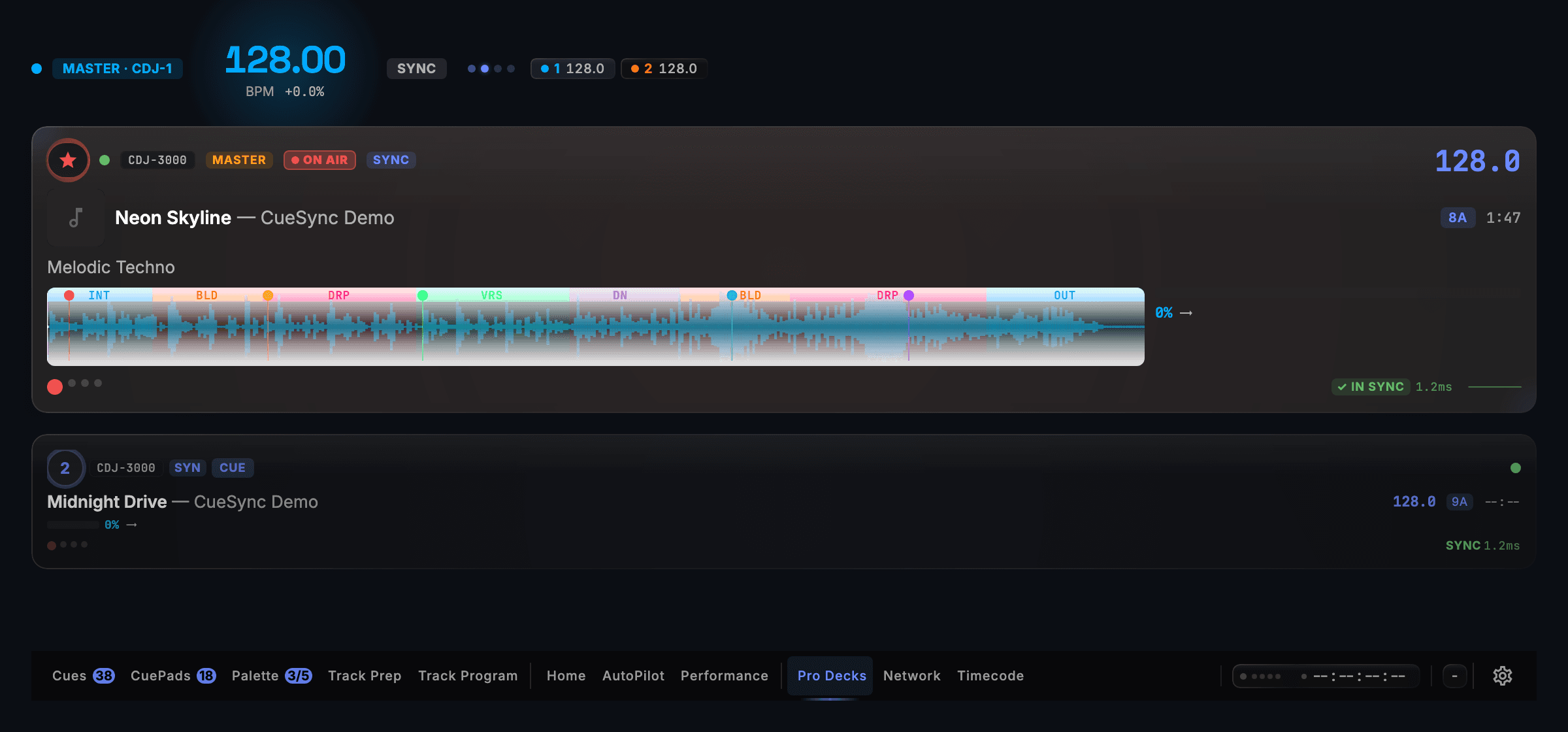
| CDJ Tempo into Ableton Live | With Pioneer decks on PRO DJ LINK and Sync tempo from Pioneer enabled, CueSync pushes the live booth tempo into the Ableton Link session so Live and Link-enabled synths stay in step. |
| Explicit Clock-Source Priority | When Ableton Link, OS2L, tap tempo and MIDI clock are all configured, Settings → DJ Hardware → Clock source lets you pin Ableton Link so stray packets never steal the tempo. |
| Pixel Walls Lock Immediately | CueSync's pixel wall choreography follows the Ableton Link beat from the first bar, with no CDJ or timecode track required. |
| Live-Show Session Protection | An active Link-driven set is protected like a live deck show: destructive network actions prompt before interrupting outputs, and Test Fire is held until the clock stops. |
| Pair with MIDI Clock & OSC | Run Ableton Link for network software peers alongside 24-PPQN MIDI Clock Output for hardware drum machines and pedals, while firing console and video cues from the same stack. |
Set it up
Ableton Link with CueSync, in 5 steps.
- 1Put your Mac running CueSync and your Ableton Live machine or Link-enabled devices on the same local network (wired Ethernet recommended for live shows).
- 2Open Settings → MIDI & Sync → Ableton Link in CueSync and switch on Enable Ableton Link. The card displays the active peer count as soon as another Link app joins.
- 3To drive CueSync's beat cues and pad quantise from the session, switch on Follow Link tempo and beat (requires at least one Link peer).
- 4If OS2L, MIDI clock or tap tempo are also enabled, select Ableton Link under Settings → DJ Hardware → Clock source so Link owns the internal clock.
- 5To bridge Pioneer CDJs into Ableton Live instead, connect PRO DJ LINK in DJ or Production and leave Sync tempo from Pioneer enabled.
Integration details
Specifics that hold up in production
What CueSync's Ableton Link integration does and how it behaves — the things you can check before the show.
- Bidirectional Link peer on the show LAN
- CueSync participates as a native Ableton Link peer: it can follow the Link beat grid to fire console, media server and DMX cues on the beat, or publish booth tempo from PRO DJ LINK into the Link session.
- Built for live-show reliability
- Every output connection recovers automatically, connection state is visible to the operator, and every failure CueSync can detect is reported during a show. A held cue is released automatically if the window loses focus mid-flash.
Ableton Link questions
Does Ableton Link carry track phrases or start/stop Ableton Live?
Ableton Link shares tempo and beat-grid phase across the network; it carries no track structure or phrase map, and CueSync cannot start or stop Ableton Live over Link. Beat cues, bar intervals, quantised Cue Pads and pixel wall washes follow Link directly; AutoPilot phrase plans require a Pioneer deck or a Local Audio file.
Can CueSync bridge Pioneer CDJ tempo into Ableton Live?
Yes, in DJ and Production (and the Decks plan). Connect CueSync to the booth switch over PRO DJ LINK, enable Ableton Link, and leave Sync tempo from Pioneer on: CueSync feeds the master CDJ's tempo into the Link session.
What happens if a Pioneer CDJ starts playing while Ableton Link is driving the clock?
A live PRO DJ LINK beat or a track playing in CueSync's Local Audio always takes priority over the internal clock sources (Ableton Link, OS2L, MIDI clock and tap tempo) so a booth handover to hardware decks is automatic.
When should I use Ableton Link instead of MIDI Clock?
Use Ableton Link to share tempo and beat phase over Ethernet with Ableton Live and Link-enabled software peers. Use CueSync's 24-PPQN MIDI Clock (in or out over USB/DIN MIDI) for hardware drum machines, synth arpeggiators and guitar pedals that have no network port.
Different question? Ask us directly.
Last reviewed .
Guides
Guides for this rig
Step-by-step guides for a show that runs with Ableton Link.
Run your next show on cue.
Download CueSync free and run the built-in demo show — press Space and watch each cue fire on screen with nothing sent to real equipment, no hardware required. Subscribe when you're ready to drive a real rig.
Ableton, Ableton Live and Ableton Link are trademarks of Ableton AG. Pioneer DJ® and PRO DJ LINK™ are trademarks of AlphaTheta Corporation. CueSync is an independent product and is not affiliated with or endorsed by Ableton AG or AlphaTheta.