Integration · Lighting desks · grandMA2
grandMA2, on cue.
CueSync logs in to the grandMA2 command line and fires cue GOs, executors, macros and faders from a GO, the show clock or the music.
grandMA2 spec sheet
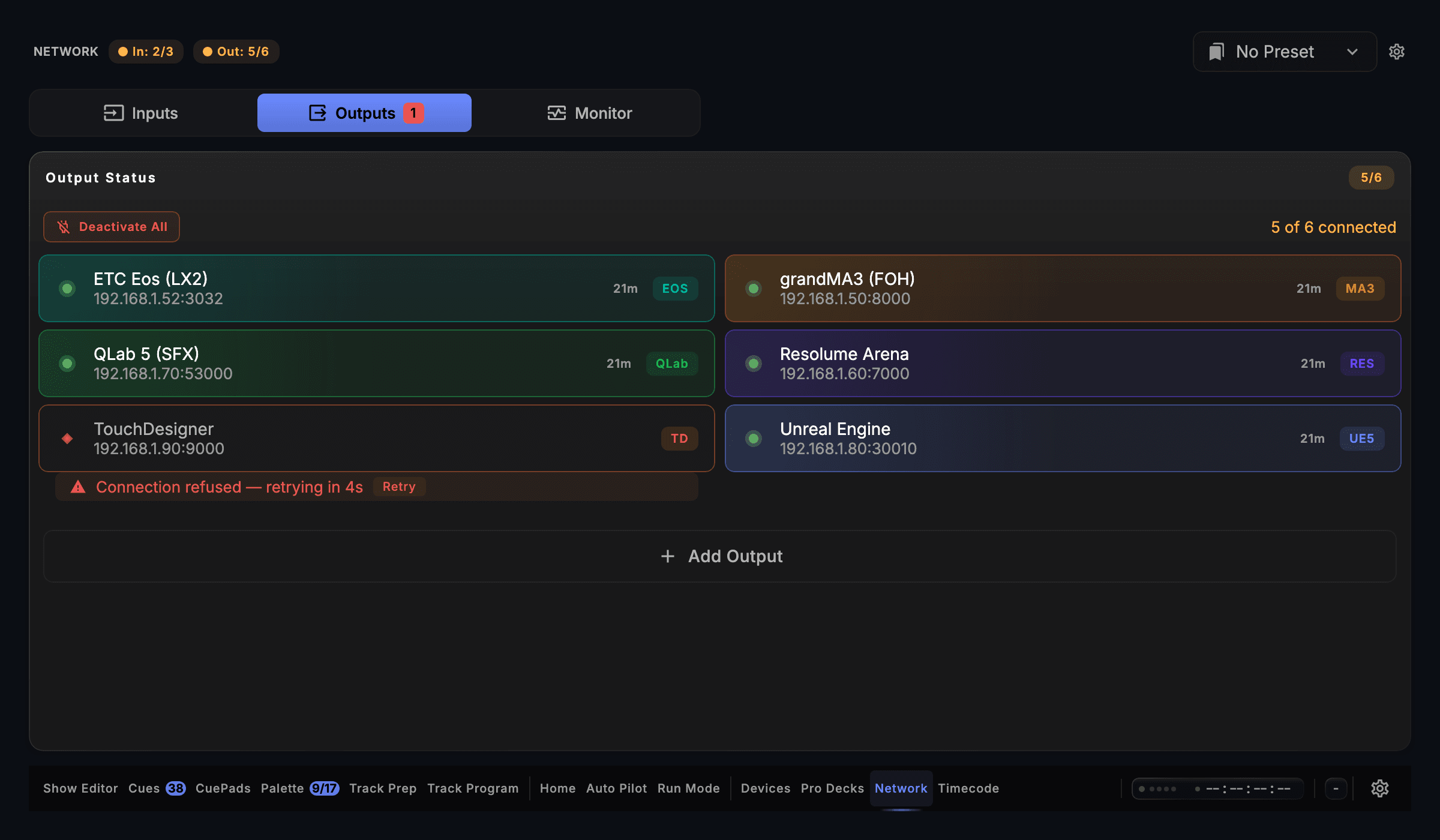
Screen capture · v1.0.35 · Outputs
| Speaks | Telnet |
|---|---|
| Built for | grandMA2 consoles · grandMA2 onPCDrives the grandMA2 command line over Telnet, on a grandMA2 console or on grandMA2 onPC. |
| Editions | In DJTheatreProduction |
| Manual | /docs/connect/grandma2 |
The output is in every edition. A capability marked with an edition needs that edition.
What CueSync sends to grandMA2
| Cue GOs and Executors | Go+, Goto Cue, Go−, On and Off on any page and executor, fired by any trigger your edition has. |
|---|---|
| Faders, Macros and Fixtures | Set an executor's fader, run a macro, bring a fixture selection to a level, or send a command line exactly as you would type it at the desk. |
| A Login That Can Fire | CueSync logs in after the desk greets it and reads connected only once the desk confirms the login, so a guest session that refuses every command never reads green. |
| The Login Stays on This Mac | The console login is stored on this machine for that output only, and never written into a show file, a venue profile or a diagnostic bundle. |
| A Cue List on a USB Stick | Export GrandMA2 Macro writes a macro that builds a Theatre cue list on the desk, with cue numbers, labels and fades, for the LD to program the looks against. |
| Blackout and Freeze as States | Blackout and Freeze go out as explicit on and off, so a release never toggles the rig back by mistake. |
Set it up
grandMA2 with CueSync, in 5 steps.
- 1On the desk, enable remote login under Setup → Network → MA Network Configuration.
- 2In CueSync, choose Network → Outputs → Add Output → GrandMA2 (Telnet) and enter the console's IP address. The port fills in.
- 3Under Console login, enter the user CueSync should log in as, or leave both boxes blank for the desk's factory login.
- 4Bind cues to executors, cue numbers, macros or faders in a cue's actions. The Sends line above each action shows the exact command the desk will receive.
- 5Check the wiring before you subscribe: configuration is unrestricted without a licence, and Test Connection confirms the device is reachable and answering. Firing cues is what a licence enables — an unlicensed install never sends one, so the cue path itself is verified after you subscribe, not before.
Integration details
Specifics that hold up in production
What CueSync's grandMA2 integration does and how it behaves — the things you can check before the show.
- Beat-aligned timing
- CueSync times cues to the beat phase of the music and is designed for live production. What you see and hear end to end also depends on your network, console or media server, and fixtures, so confirm the whole chain on your own rig before a show.
- 17 output protocols, one application
- CueSync ships 17 output protocols from a single desktop application: grandMA2 (Telnet), grandMA3 (TCP OSC and UDP OSC), Avolites Titan, ETC Eos, ChamSys MagicQ, Art-Net, sACN, Resolume, disguise (d3), VIOSO Player/Show, AV Stumpfl Pixera, TouchDesigner, Unreal Engine 5, QLab (TCP and UDP), MIDI Show Control, Pangolin Beyond, and Custom OSC. Every CueSync edition includes every protocol.
- Built for live-show reliability
- Every output connection recovers automatically, connection state is visible to the operator, and every failure CueSync can detect is reported during a show. A held cue is released automatically if the window loses focus mid-flash.
grandMA2 questions
- Telnet. A stock grandMA2 has no OSC input, since OSC arrived with grandMA3, so OSC sent to it is ignored while a UDP send still reports success. CueSync drives the MA2 over Telnet, the interface the desk implements, and that is the default for an MA2 output. The OSC transport is only for a console running a third-party OSC bridge plugin, whose address space is the plugin's.
- Yes: send it LTC or MTC from CueSync's timecode outputs, in any edition, and let the desk's own Timecode show chase that clock while CueSync fires its live cues over Telnet. Or enable the MA2 row in Timecode → Output Routing and pick one of the desk's eight timecode slots: CueSync keeps that slot on the show clock as it runs, and a cue can start or stop a slot.
- Yes. The macro stores every cue it carries, so run it once into a scratch sequence (900 on a new show) and program the looks after. To keep changing the cue list during rehearsals, fire the desk live from CueSync instead.
- The output goes red and reconnects rather than staying green over a session that can do nothing, for instance when a second operator takes the user account at the desk.
Different question? Ask us directly.
Ready to Automate Your Stage?
Download CueSync free and run the built-in demo show — press Space and its cues fire against simulated outputs, no hardware required. Subscribe when you're ready to drive a real rig.
grandMA2 is a trademark of MA Lighting Technology GmbH. CueSync is an independent product and is not affiliated with or endorsed by MA Lighting.