Built for clubs, bars and venues with a house rig
Run the house rig for every DJ you book. The room keeps its rules.
Save the house rig as a venue profile once. When a guest DJ plays the decks, CueSync reads the hot cues, loops and phrases they prepared in rekordbox as each track loads, and the lights follow their set with nothing installed in the booth. The room's rules travel with the profile: level limits on the channels you name, and lasers off unless the venue opts in.
A worked example: Saturday, three guest DJs
The house cue stack runs all night while AutoPilot plans each track from its phrases. Each guest's prep arrives with their tracks, and the house venue profile decides what the room allows.
- 1Doors. The house look, from a pad on the Stream DeckLXPAD
- 2First build of the night. The wash rises with the track's energyLXENERGY
- 3Drop. Strobe burst, held under the room's level ceilingLXDROP
- 4The guest hits hot cue A. The blinder fires on itLXHOT CUE A
- 5Breakdown. The pixel wall follows the kick on its ownPIXAUTO
- 6AutoPilot's laser look on the drop. Skipped: this room keeps automation off its lasersLSRAUTO
A deck the mixer reports off air, in the DJ's headphones, fires no phrase cue into the room. The skipped laser look leaves a note in Recent Fires saying why.
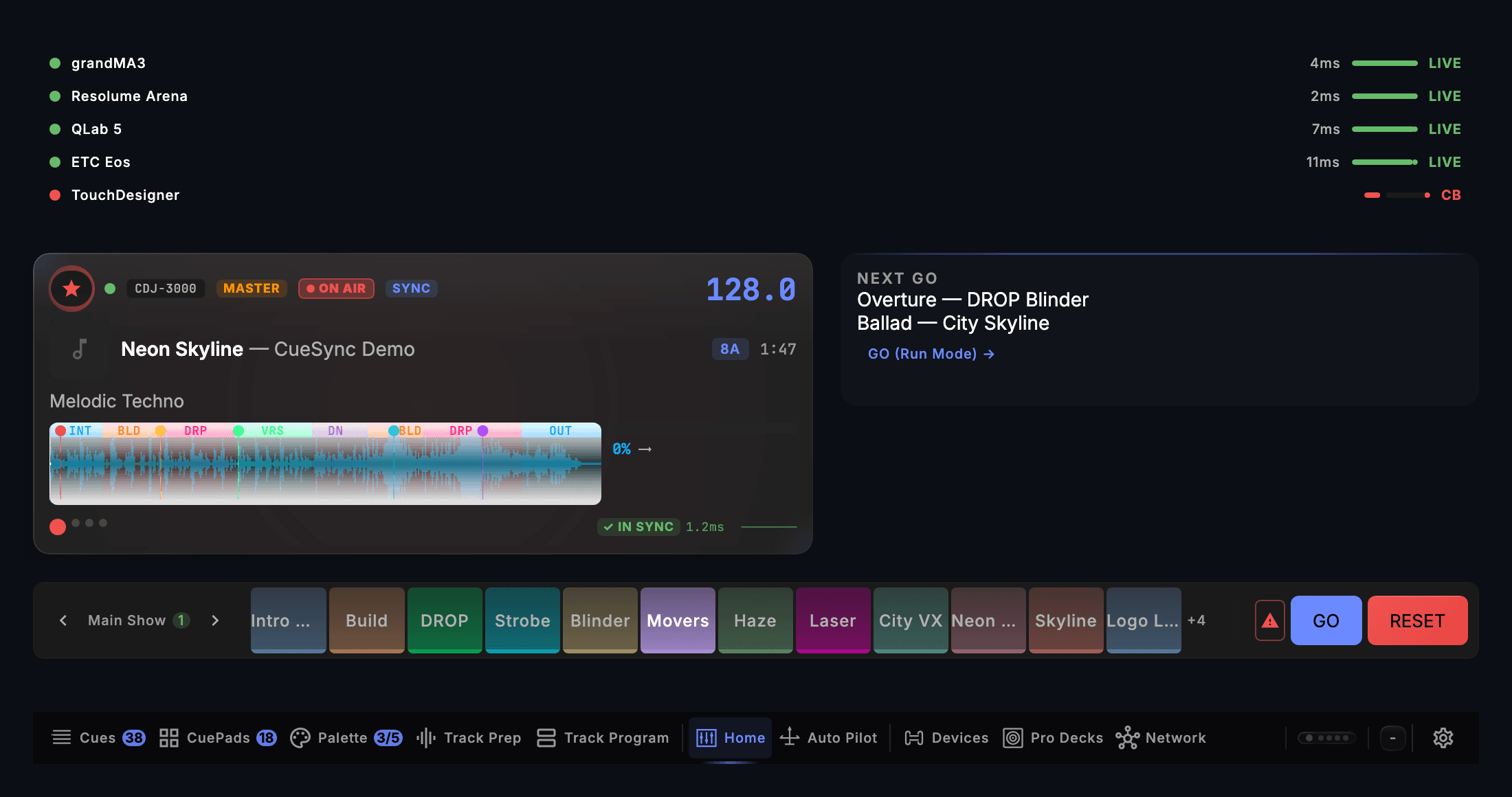
- Output health for the house rig
- The master deck in sync
- A cue-pad bank
What the room gets
The house rig as a venue profile
The room's outputs, the looks bound to its own desk and what the rig can physically do, saved once. CueSync recognises the room's network and offers its profile; it never switches venue on its own.
Every guest DJ's prep comes across
Hot cues, memory cues, loops, phrases and the beat grid come off the decks as each track loads, with nothing installed in the booth. The lights follow the deck the room hears, and a deck that drops off and comes back does not re-fire the show.
The room's limits hold
A maximum level on the intensity channels you name, for the neighbours or a late licence, and a floor so an exit route is never taken dark by a cue. A strobe cap holds the pixel wall's strobe to the rate the room allows.
Lasers off unless the venue opts in
CueSync's own automatic moves, AutoPilot's looks among them, never reach a laser until this venue switches automation on for it. A laser cue or look you author still goes, and so does the panic.
A wall that follows the music
The built-in Pixel Wall drives LED tape, tubes and panels over Art-Net or sACN, and follows builds, drops and kicks with no programming. Panic darkens the wall first.
The booth on a tablet
The DJ live view opens in any tablet's browser from a QR code: decks, phrase, energy and AutoPilot's next moments, with nothing to install.
The edition: DJ
A house rig that runs DJ nights needs the decks read and the lights following the music, and that is DJ Edition. Every edition connects to every output protocol, so the house desk, the media server and the wall are covered whichever you pick.
- DJReads the decks, runs AutoPilot and the cue stack, and keeps three venue profiles: the house rig and two more rooms.
- TheatreRuns a cue list on timecode or GO. It does not read the decks, so it is not the edition for DJ nights.
- ProductionAdds the cue list for the nights a show is staged, a launch or a live act on timecode, and keeps a profile for every room you have.
Venue questions
Does a guest DJ need to install anything?
No. CueSync joins the decks' network as a player and reads each track's rekordbox prep from the decks as it loads. The DJ brings their USB stick as they always do.
What if a DJ plays from a laptop?
CueSync follows the beat over Ableton Link, or over OS2L from VirtualDJ, and beat cues fire on it. AutoPilot's planned moments come from a deck or from a track CueSync plays itself.
Can the house LD keep their desk?
Yes. CueSync fires the desk's own cues and looks over the network, so the desk keeps the programming and the LD keeps the override.
How many rooms can one venue keep?
DJ Edition keeps three venue profiles, Theatre twenty-five and Production as many as you have. Every editor and the setup wizard are the same in all three.
Save the house rig before Friday.
Download CueSync to run the demo show and tour the app in read-only mode. Compare the editions on the pricing page.