Built for cruise entertainment and technical teams
Run the theatre, the lounge and the pool deck the same way, every night.
Save each room aboard as its own venue profile, and a show file points at that room's rig. Production runs both kinds of night: the production show on a cue list, called on GO or timecode, and the deck party where the lights follow the DJ. A show moves to the backup Mac, or to the next ship, as one Tour Pack with its venue profiles.
A worked example: the evening production show
The main theatre's show runs from its soundtrack, with the stage manager calling the scene changes. Later, the pool deck's profile takes over for the party.
- 1.0House to halfLXSTBY
- 1.1Opening number. The lights build with the trackLX00:00:04:00
- 1.2LED wall: the harbour at nightVX00:00:04:00
- 1.3The chorus hits. Wall and rig togetherLX00:01:52:10
- 2.0Act change. BlackoutLXSTBY
- 2.1Lights up on the ballroom, two seconds laterLXFOLLOW
The same show runs in a sister ship's theatre: activate that room's profile, and each look a cue names resolves to that room's own desk cue.
| Room | Venue profile | Tonight |
|---|---|---|
| Main theatre | Main Theatre | The production show: a cue list on timecode and GO |
| Pool deck | Pool Deck | The sail-away party: AutoPilot follows the DJ |
| Lounge | Lounge | A look per song, fired from pads by the lounge tech |
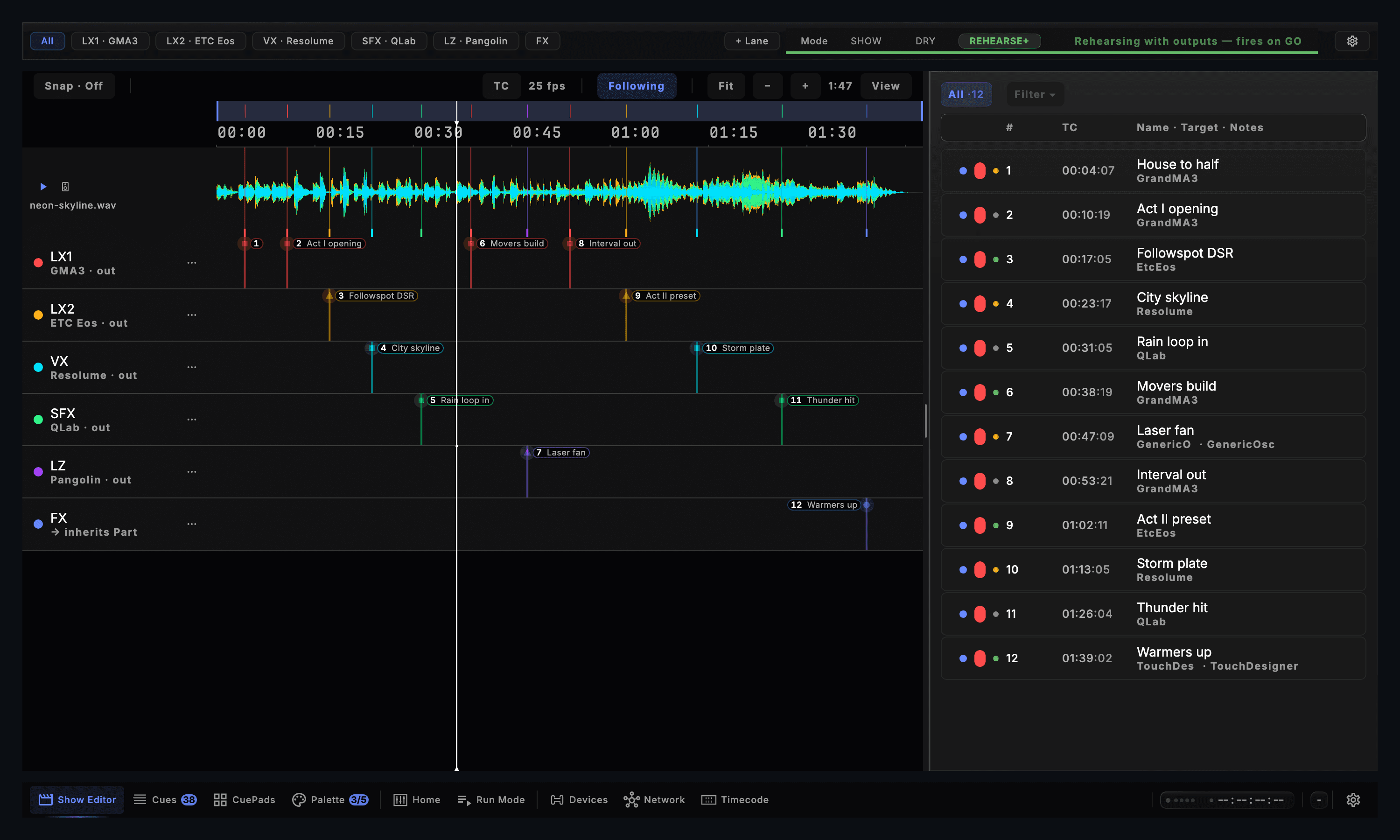
- Lanes routed to their own consoles
- SHOW · DRY · REHEARSE+
- Cues on the Drafted, Tested, Ready ladder
What the ship gets
A venue profile for every room
Each room keeps its own profile: its outputs, the looks bound to its own desk, what its rig can do and its limits. CueSync recognises a room's network and offers its profile, and never switches on its own.
The production show on a cue list
Timecode, GO and follow cues side by side, acts and an interval, a cue standing by and one GO. Sync to grandMA3 writes the cue list into the desk and keeps the LD's looks when the show is pushed again.
The deck party that follows the DJ
CueSync reads the decks, plans each track from its phrases and fires on the builds and the drops, so the pool deck runs with nobody standing on GO.
Shows that travel
A Tour Pack carries the show and its venue profiles as one file, to the backup Mac or to the next ship. A show opened on another computer starts with its network outputs held until you press Connect.
Each room's limits hold
A level ceiling and a floor on the channels a room names, a strobe cap for the pixel wall, and lasers off unless that room opts in.
The crew on tablets
The crew board for the theatre's departments, the DJ live view in the deck booth and a health monitor at FOH, each in a tablet's browser with nothing to install.
The edition: Production
A ship runs both kinds of night, and Production is the edition with both: the cue list and Run Mode, and the decks with AutoPilot, plus a venue profile for every room. Every edition connects to every output protocol.
- ProductionThe production shows and the deck parties, in one show file, with a venue profile for every room aboard.
- TheatreThe production shows on a cue list, with up to 25 venue profiles. It does not read the decks.
- DJThe deck parties, with up to 3 venue profiles. It has no Show Editor or Run Mode.
Cruise entertainment questions
Does one licence cover every room?
A licence registers 2 Macs and drives a show from one of them at a time, so rooms that run at the same hour each need their own licence. Every one of them reads the same show files and venue profiles.
Can the same show run on a sister ship?
Yes. Export a Tour Pack, open it on the other ship's show Mac and activate that room's venue profile. A look named in a cue resolves to that room's own desk cue.
Who runs the deck party?
AutoPilot plans each track from its phrases and fires the moments as they arrive. The deck tech can hold, skip or fire a moment from a Stream Deck or a MIDI controller, and take any cue by hand.
Build the first room before the next sailing.
Download CueSync to run the demo show and tour the app in read-only mode. Compare the editions on the pricing page.