Built for virtual production and previs teams
Run the world on the show clock. Every cue lands in the level.
CueSync drives an Unreal Engine level the way it drives a lighting desk. Pair the free CueSync for Unreal plugin once and the world follows the show: a Level Sequence chases CueSync's clock, every cue's state is mirrored into the level, and a rewind in rehearsal puts the world back where the show is. RigSync builds the stage in the engine, and the CueSync fixture packs light it from CueSync or from your desk.
A worked example: a launch on an LED volume
One Part in the Show Editor, with the launch film's audio as its master track. Timecode cues fire on the clock, the stage manager calls the standby cues, and the plugin carries every one of them into the level.
- 1.0Walk-in. The level opens on its holding look, and its Level Sequence chases the show clockUE00:00:00:00
- 1.1House to halfLXSTBY
- 2.0Open. Cut to camera 1, the wideUE00:01:30:00
- 2.1Reveal. The drop accent fires and the beams level loadsUEFOLLOW
- 2.2Product light. The desk's look reaches the Unreal fixtures over Art-NetLX00:01:34:12
- 3.0Close. The camera fades to black and holds until the next cue releases itUESTBY
Jump back to 1.1 in rehearsal and the world goes with it: what the later cues set is released, and the sequence follows the jump.
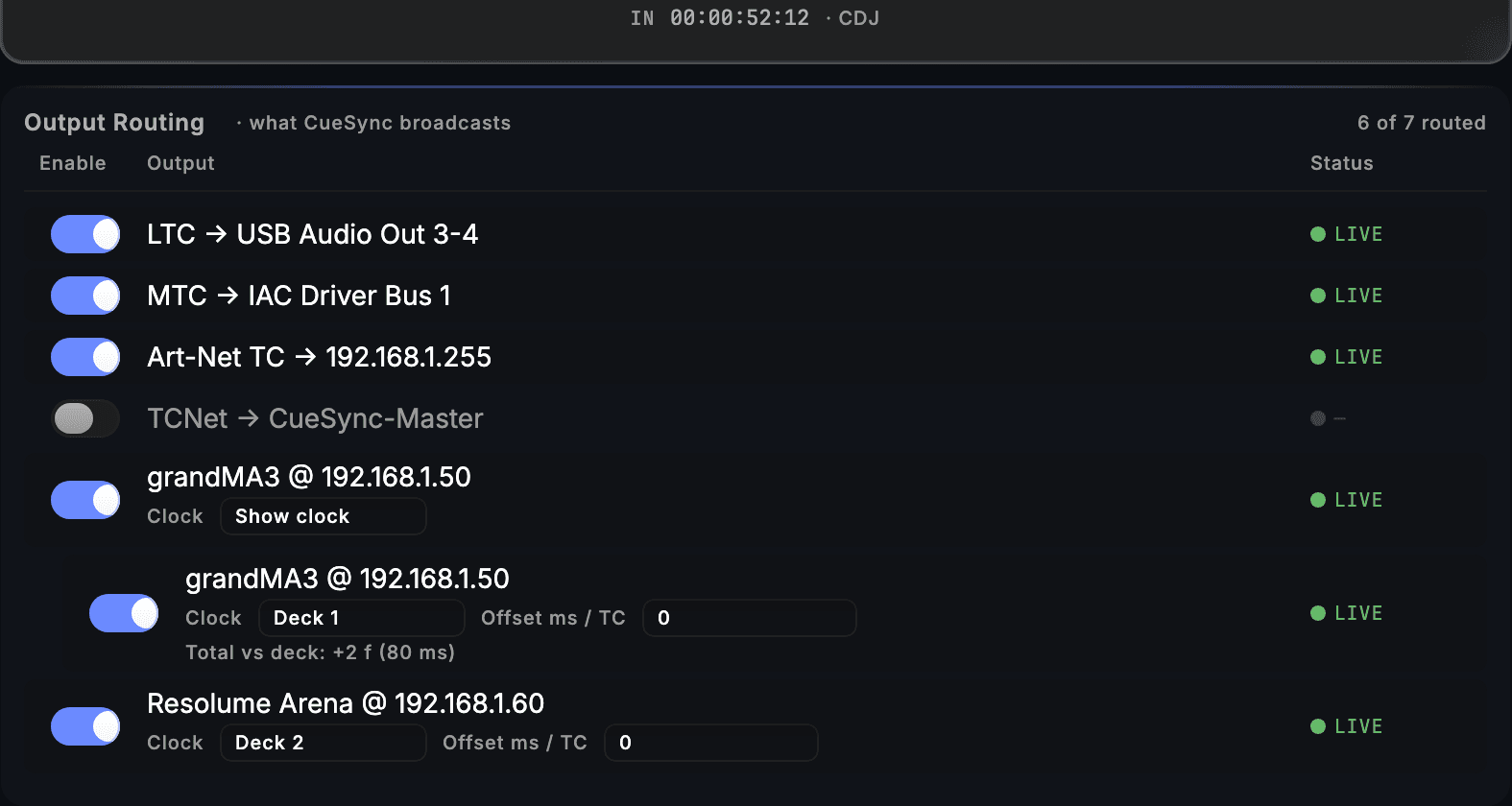
- Timecode in from a CDJ
- Out on LTC, MTC and Art-Net
- Each route on its own clock
What runs in the engine
The world follows the show clock
Paired once, the plugin becomes the engine's timecode provider whenever CueSync sends locked timecode. A Level Sequence set to chase follows jumps, scrubs with the show and rides over a momentary gap, so a cinematic and the cue list run on one clock.
Cue state, mirrored into the level
A cue, a pad, a scene and an AutoPilot moment all reach the level. Rewind the show and the world reverts; stop it and everything its cues set is released. A value set while the link was down is applied the moment it is back.
The music as parameters, with no code
Beat and bar phase, energy, a colour from the key and a countdown to the next drop arrive as values any material or Niagara system reads. Drops, bursts and camera cuts arrive as Blueprint events, and drop-on components move lights, materials and the camera from them without a graph.
Built and lit inside the engine
RigSync builds the stage as parametric truss, towers and decks, places, aims, patches and numbers every fixture from a rule, and writes the MVR, the light plot and the paperwork. CueSync Pixel, Moving Heads and Strobe & Blinder are Art-Net and sACN fixtures with a matching GDTF, so the rig patched in the engine is the rig the desk patches.
The artist's markers become cues
Import a Level Sequence's markers as a Theatre track: a marker named for an accent becomes a cue that fires it, and any other marker becomes a labelled cue at the right time. For an offline render, a track's music data bakes into a Level Sequence frame by frame.
The edition: Production
Production runs both halves of a virtual production in one show file: the cue list a stage manager calls, on timecode or GO, and the music-driven half that follows a set. Every edition sends to Unreal and sends timecode, so the other two each drive a world on their own terms.
- DJDrives a world from a DJ set: AutoPilot's moments and the music feed, and the bake for an offline render.
- TheatreDrives a world from a cue list on timecode or GO, with the cue mirror, the clock and Sequencer markers imported as cues.
- ProductionBoth halves in one show file, which is what a show with a scripted run and a live set needs.
Virtual production questions
Where do I get the plugin?
CueSync for Unreal is free on Fab, Epic's marketplace. The listing: https://www.fab.com/listings/b2a99a27-9381-4184-af68-e94473fdde21. RigSync and the three fixture packs are on Fab too, and each has its manual on this site.
Can the level run before the show machine is connected?
Yes. The plugin's Demo mode drives the level with its own clock, an energy swell and a scripted accent timeline, and hands over without a jump the moment CueSync's stream arrives. If that stream stops, Demo takes the level back.
Does Unreal see a rehearsal?
No. In DRY nothing is sent to the world, and when the rehearsal ends Unreal is handed the show's real state at once, so a look that was only rehearsed never reaches the stage.
What does it run on?
The plugin is built for Unreal Engine 5.8, on macOS or Windows. CueSync itself is a macOS app for Apple silicon, and a Windows Unreal machine is driven from a Mac running CueSync on the same network.
Put the show clock in the level.
Download CueSync to run the demo show and tour the app in read-only mode, and get the plugin from Fab. Compare the editions on the pricing page.
See also